
Chef Suki Meal Planner
Plan delicious, affordable family meals strictly within your budget.
Stop guessing what to cook. Chef Suki creates balanced multi-day meal plans based on real supermarket prices. It calculates exact cost per serving and adds all ingredients straight to your grocery list.
Step-by-Step Experience
Experience Chef Suki Meal Planner on your mobile device in 3 simple steps.
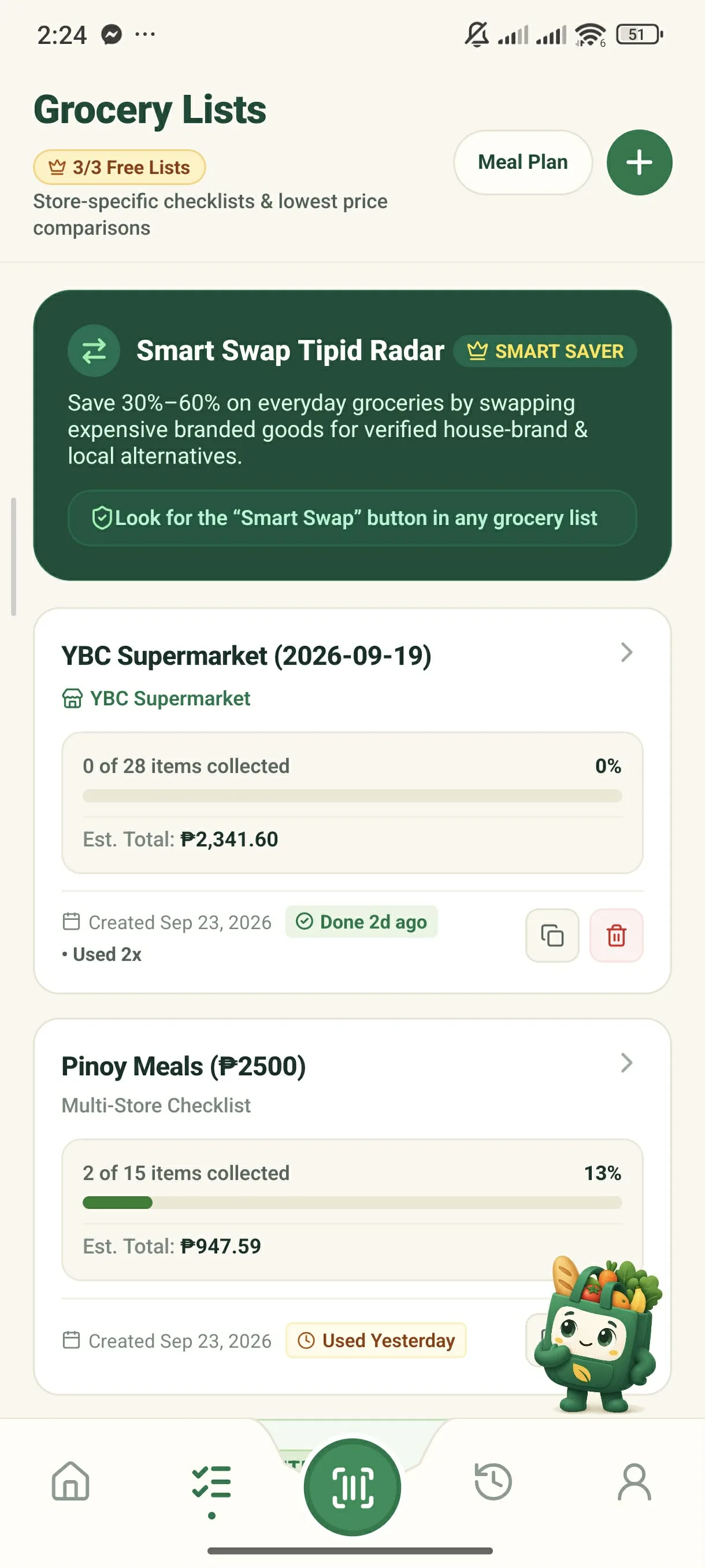
Tap 'Meal Plan' on Lists
Open the Lists tab and tap 'Meal Plan' at the top.
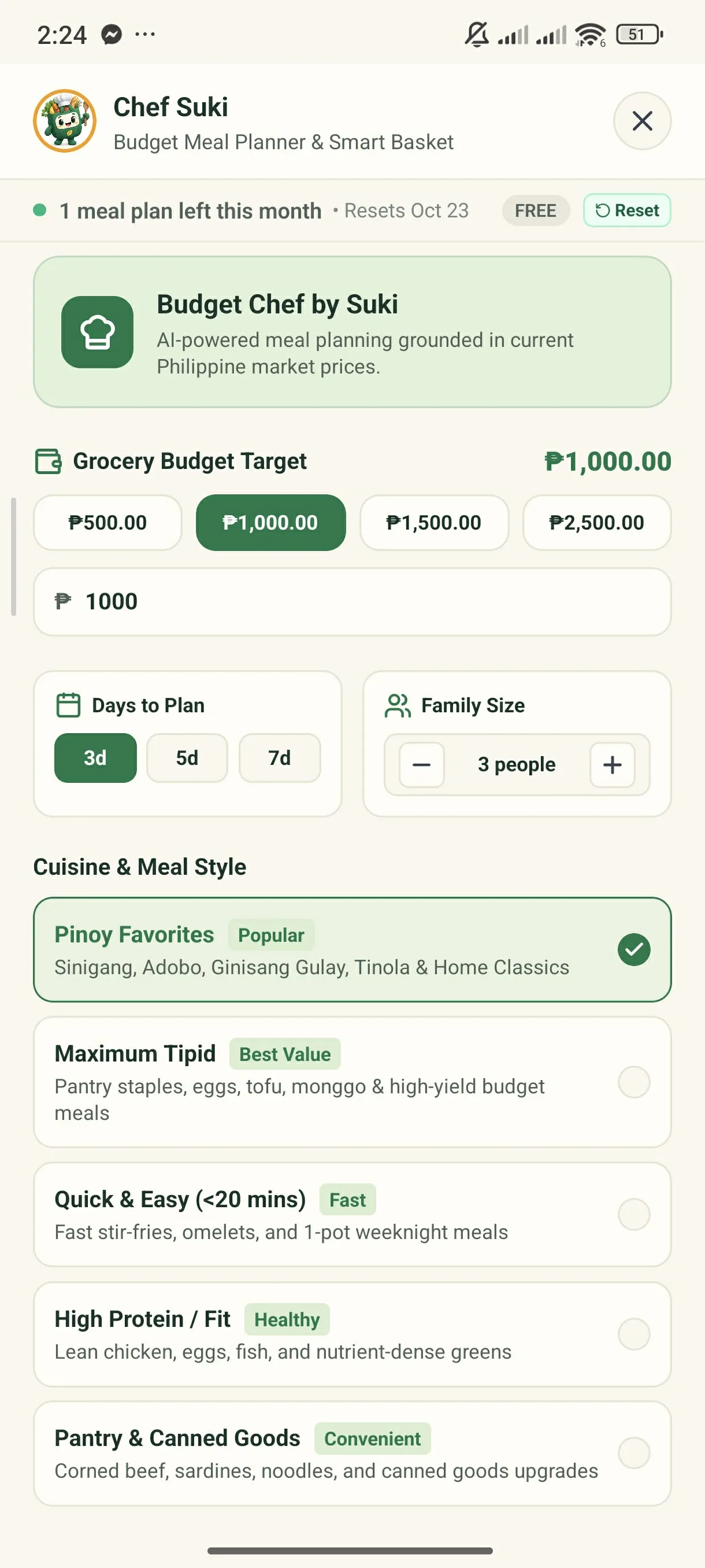
Set Budget & Preferences
Choose your budget (₱500–₱2,500+), days to plan, family size, and cuisine style.
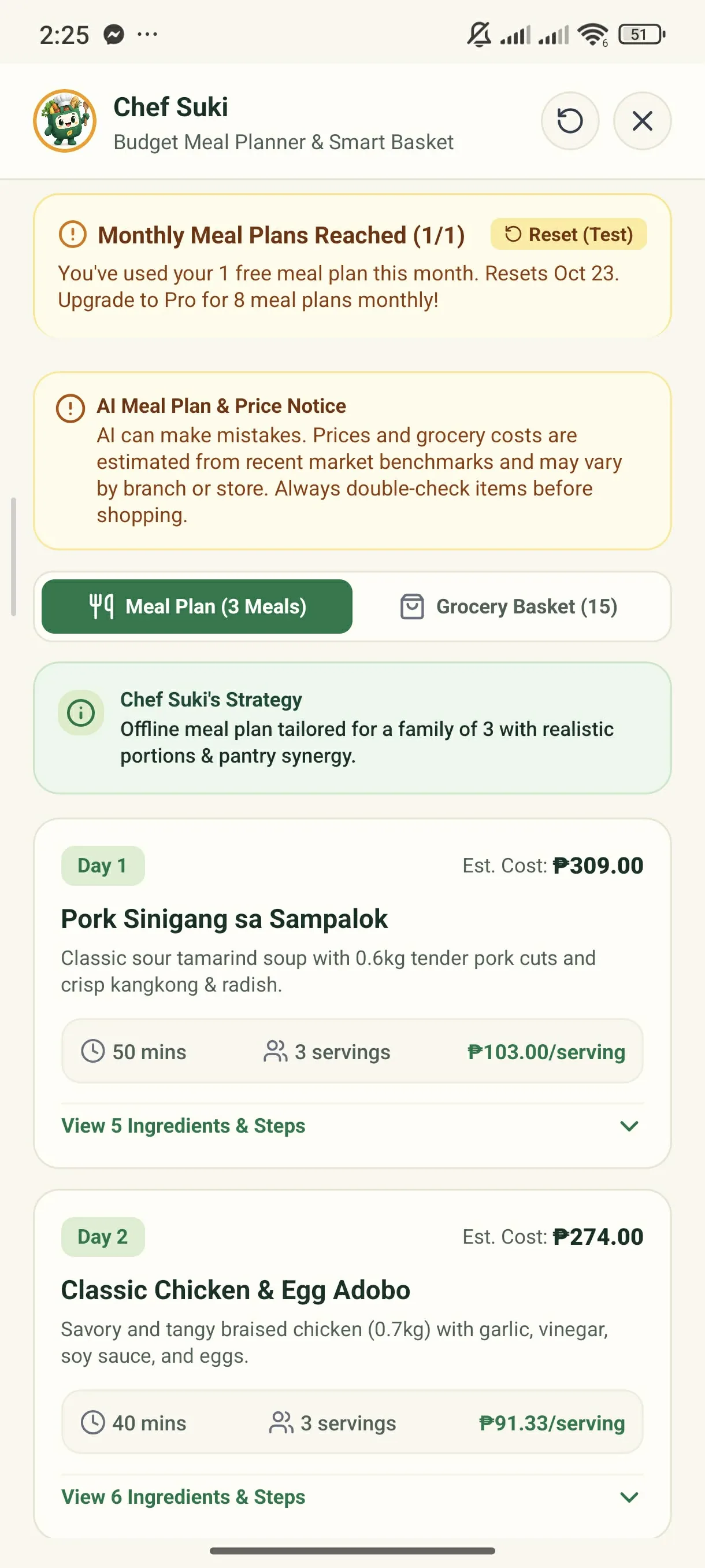
Export to Shopping List
Review step-by-step recipes and export the ingredient basket with 1 tap.
Key Capabilities & Benefits
Plans meals that never exceed your set budget limit.
Reuses shared ingredients across days to minimize food waste.
Converts recipe ingredients into an itemized shopping list immediately.
Start shopping smarter on your next grocery run.
Download the GrocerIQ mobile app today. Experience zero-latency offline barcode scanning, instant store comparisons, and AI shopping assistance from Suki.

Scan with Mobile Camera
Mobile app download & QR link will be active shortly.