
Price History & Restock Memory
Scan once, remember forever. Save what you buy most.
Your shopping history does the heavy lifting whenever it's time to restock. With GrocerIQ's Smart Product Recognition, packaged items are identified automatically upon scanning—auto-populating product names, brands, and categories so you never have to type from scratch.
Step-by-Step Experience
Experience Price History & Restock Memory on your mobile device in 3 simple steps.
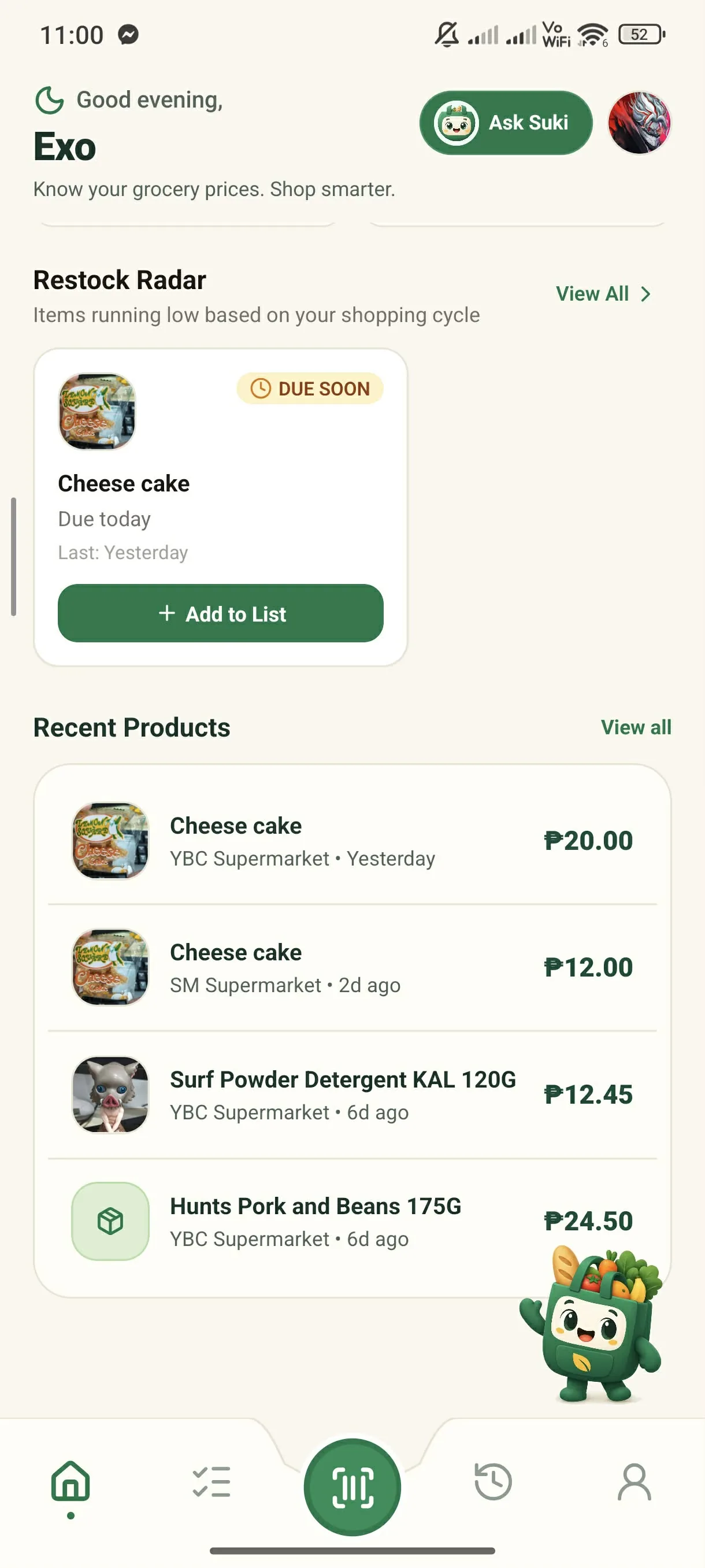
Browse Catalog from Home
Tap 'View all' on the home screen to check your logged products and restock staples.
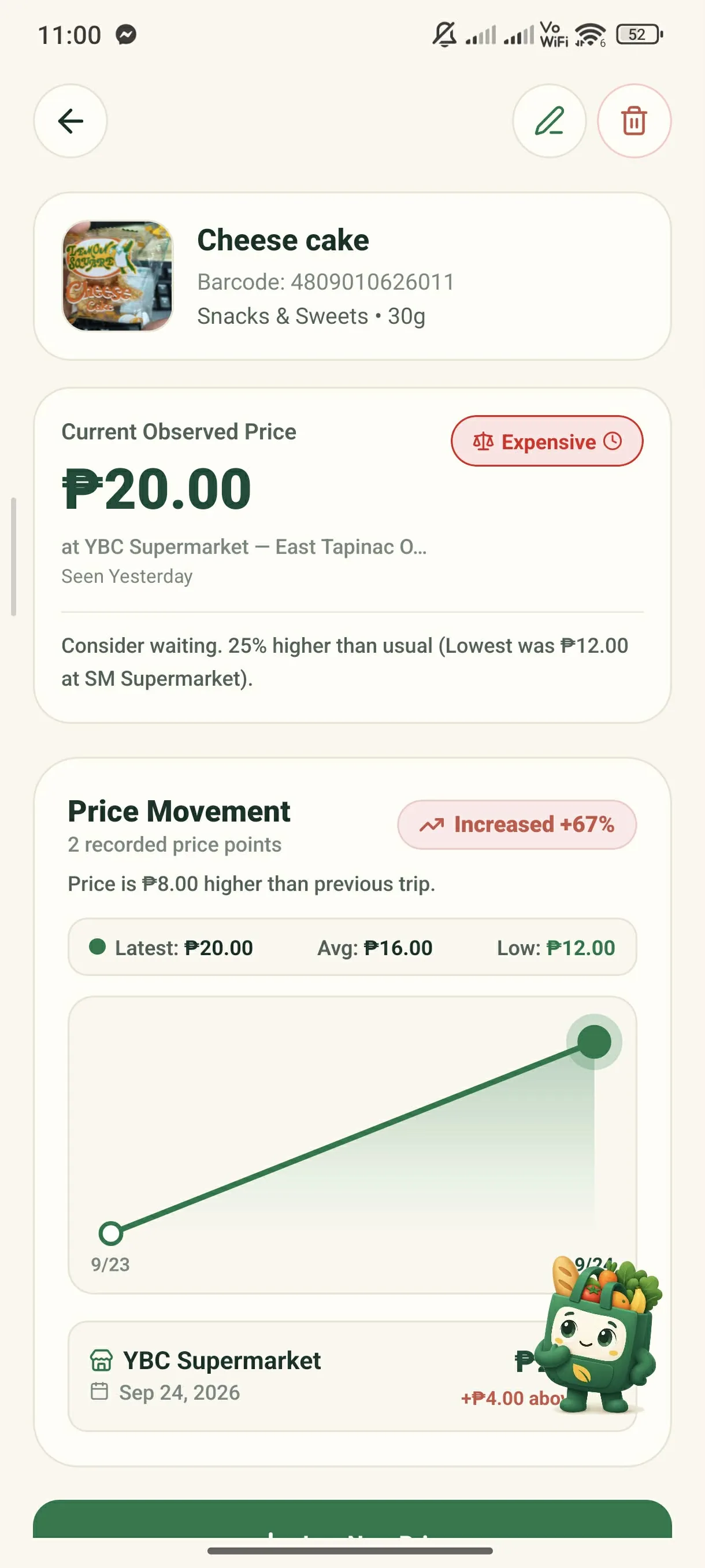
Check Price Trends & Restock Value
Tap any item to see historical price changes, store differences, and restock baselines.
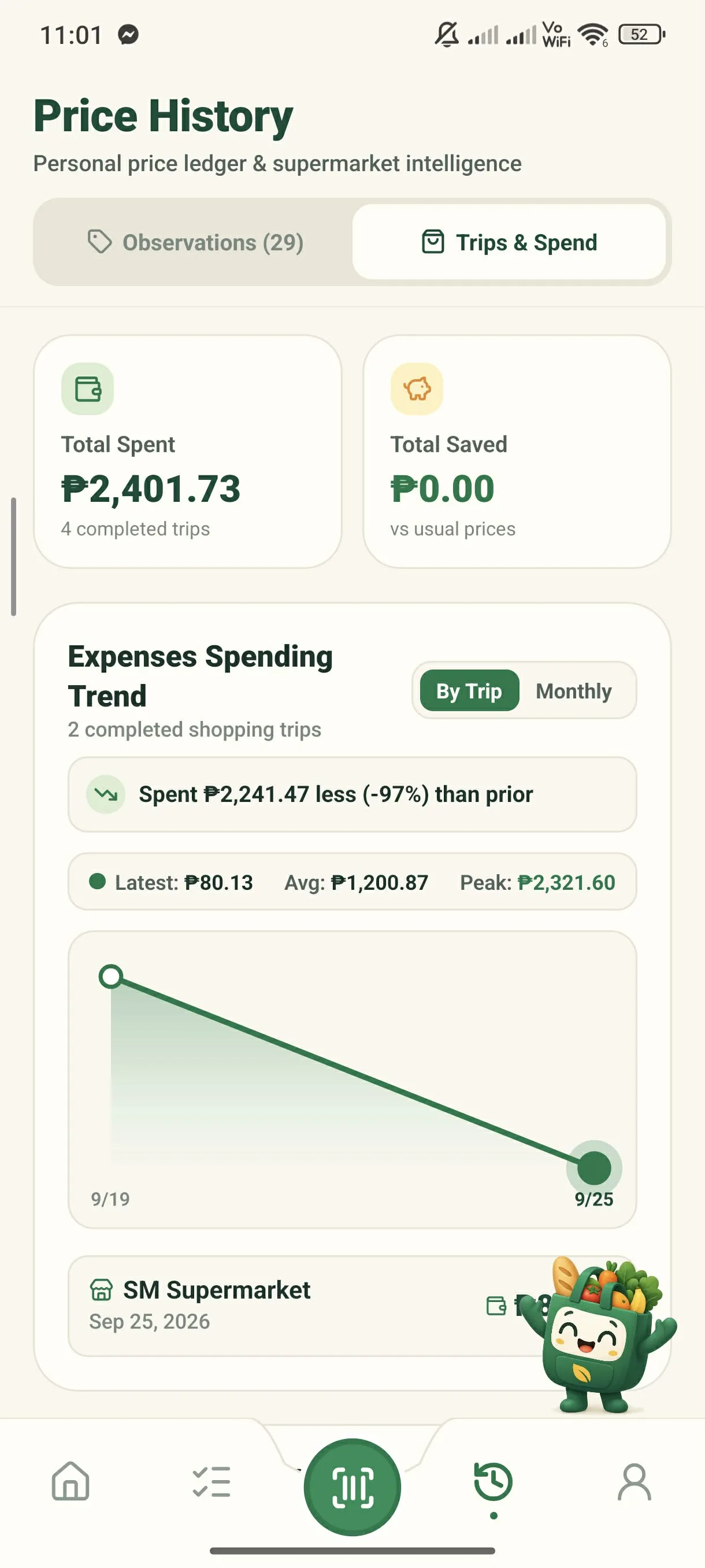
Review Trips & Total Spend
Open the Trips & Spend tab to see spending charts and savings over time.
Key Capabilities & Benefits
Save the staples you buy often so your purchase history makes restocking effortless.
GrocerIQ instantly recognizes packaged grocery items, pre-filling names and details so restocking is effortless.
Know if today's store price is a genuine deal or marked up before adding to cart.
Smarter shopping starts here.
Join households saving money on groceries across the Philippines.
GrocerIQ for Android is now live on Google Play—download it today and take control of your grocery budget.


Know Your Price. Shop Smarter.