
Multi-Item Receipt Scanner
Snap paper receipts to auto-log 30+ grocery prices in seconds.
Skip manual typing. GrocerIQ's receipt scanner reads receipts from Puregold, SM, Robinsons, Savemore, and more. It extracts all items, quantities, and prices in seconds, saving them straight to your price catalog.
Step-by-Step Experience
Experience Multi-Item Receipt Scanner on your mobile device in 3 simple steps.
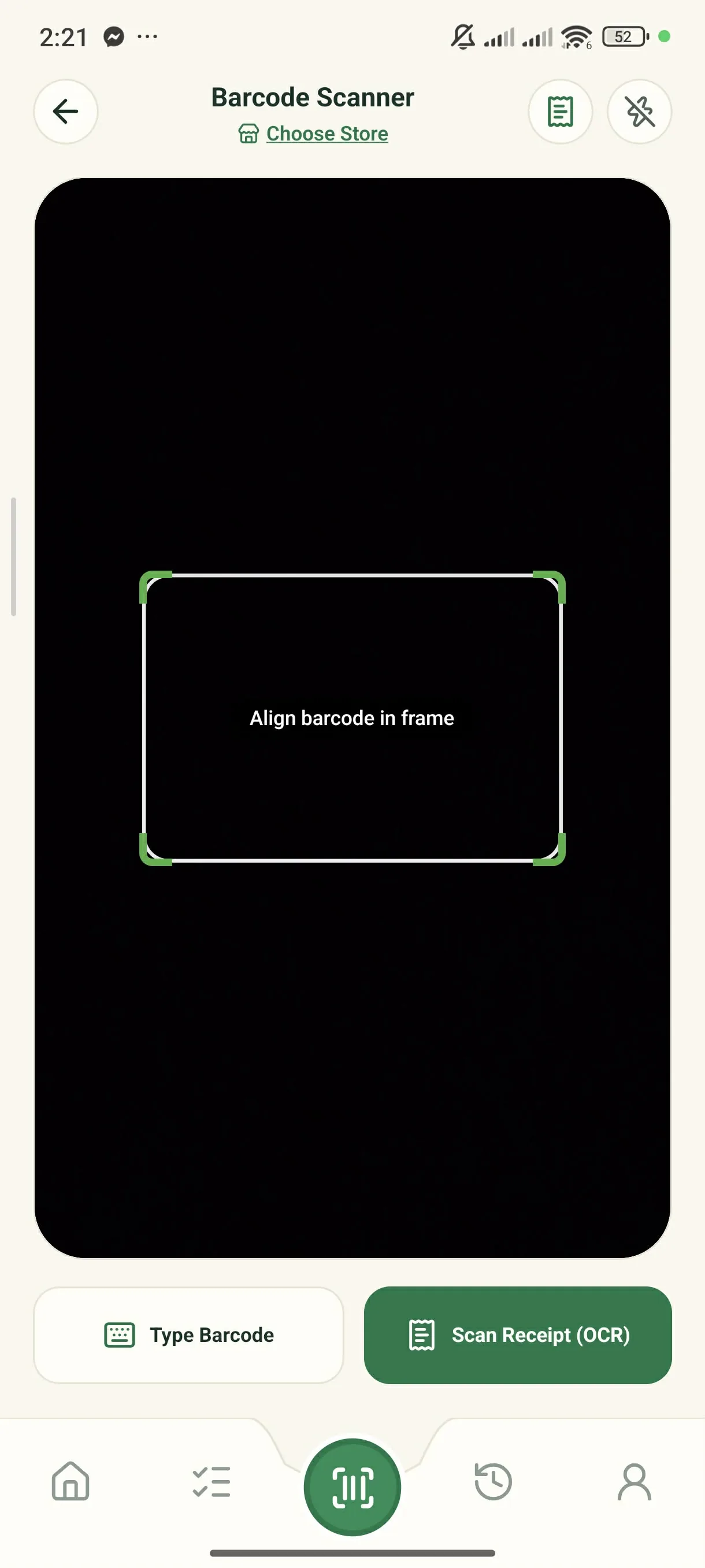
Tap 'Scan Receipt (OCR)'
Tap the center scanner button and choose 'Scan Receipt'.
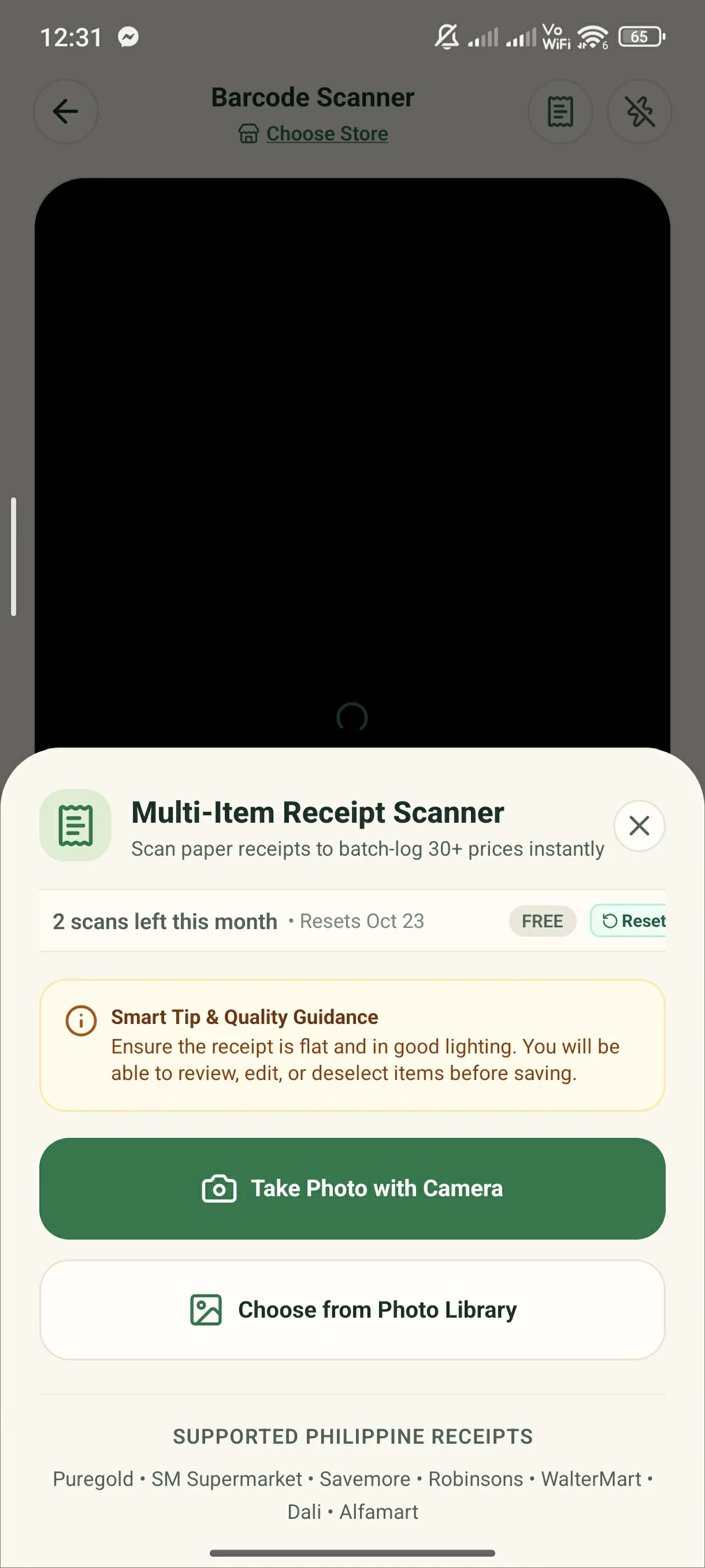
Take Photo or Upload
Snap your paper receipt with your camera or select an existing photo.
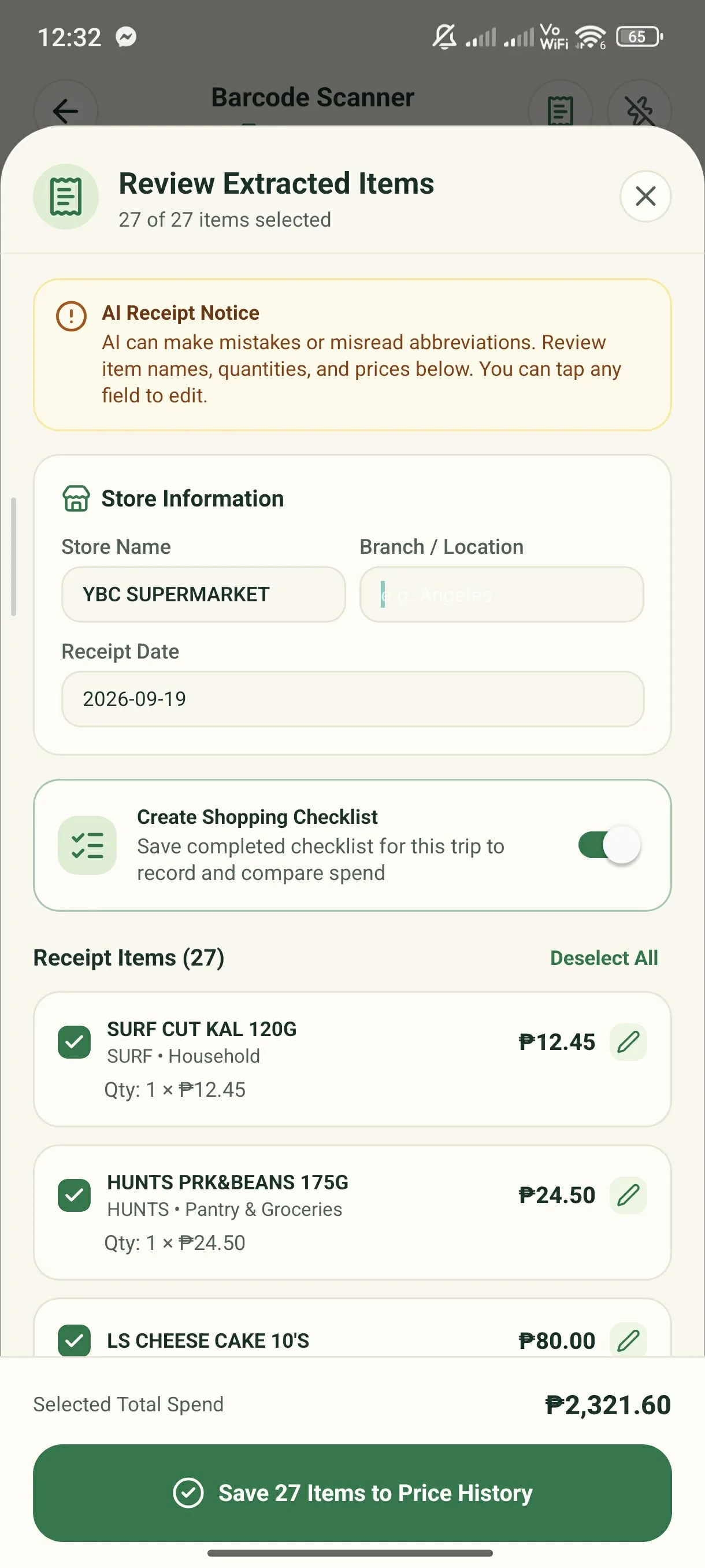
Review & Save Checklist
Verify the extracted items and save them directly to your catalog or checklist.
Key Capabilities & Benefits
Extracts store names, items, prices, and discounts in seconds.
Easily adjust items, prices, and quantities before saving.
Turn any past paper receipt into an active shopping checklist.
Start shopping smarter on your next grocery run.
Download the GrocerIQ mobile app today. Experience zero-latency offline barcode scanning, instant store comparisons, and AI shopping assistance from Suki.

Scan with Mobile Camera
Mobile app download & QR link will be active shortly.