
Smart Budget Checklist
Track running cart totals in-aisle and never blow your grocery budget.
Most grocery apps just give you a plain todo list. GrocerIQ's Smart Budget Checklist connects directly to store branch pricing, calculates your active running cart spend in real time, and alerts you before your cart exceeds your set budget limit.
Step-by-Step Experience
Experience Smart Budget Checklist on your mobile device in 3 simple steps.
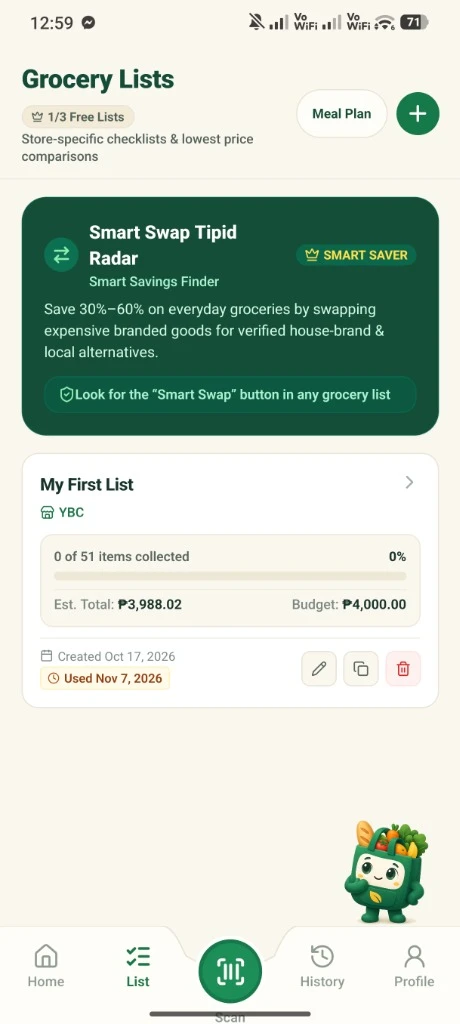
Click the List Tab
Click the list tab from the bottom bar to view and access your checklists.
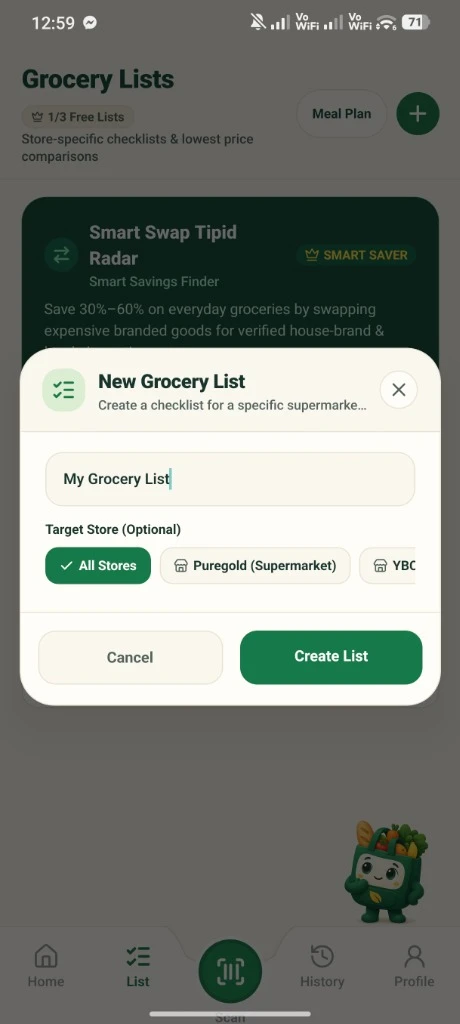
Click the Plus Icon
Click the plus icon above right side corner to create a new checklist.
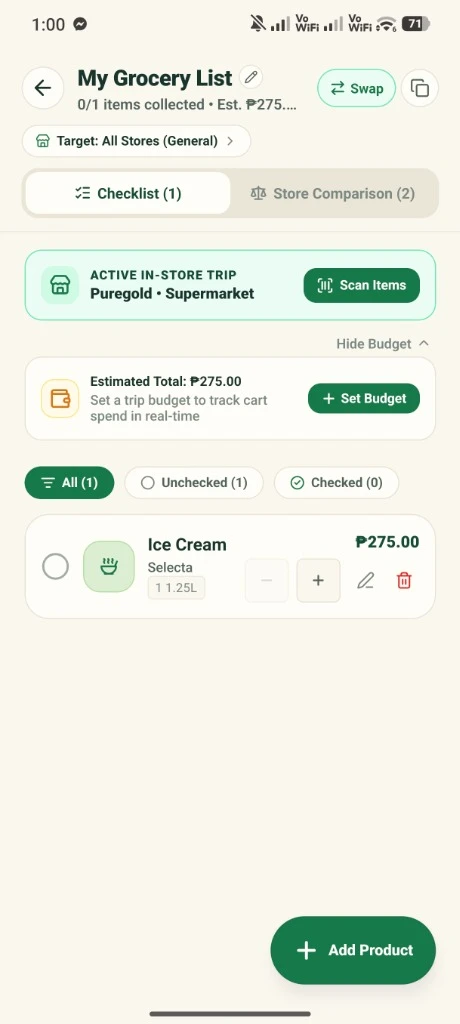
Add Products & Target Store
Add your checklist product by clicking the plus icon above right side corner and can even put a target grocery store on the left side.
Key Capabilities & Benefits
Know your exact checkout cost before reaching the supermarket cashier.
Set a spending limit (e.g. ₱2,500) and watch a live progress bar keep you on track.
Link lists directly to specific supermarket branches for accurate branch-level pricing.
Smarter shopping starts here.
Join households saving money on groceries across the Philippines.
GrocerIQ for Android is now live on Google Play—download it today and take control of your grocery budget.


Know Your Price. Shop Smarter.