
Smart grocery shopping made dead simple.
There are 2 flexible ways to use GrocerIQ: start fresh with an offline checklist or snap past paper receipts with OCR. Both methods record barcodes to show you which supermarket is the cheapest.
Why Barcode Logging Changes Everything
Scan a product barcode once. When you scan it at another store (SM, Puregold, or Robinsons), GrocerIQ logs the new branch price point. This lets you compare store prices and find the cheapest supermarket cart instantly.
Choose your shopping workflow
Toggle between the 2 methods below to see how GrocerIQ works on your phone in 3 easy steps.
Method 1: Manual Checklist & In-Aisle Scan
Create a list at home, link your store, and scan barcodes in the aisle.
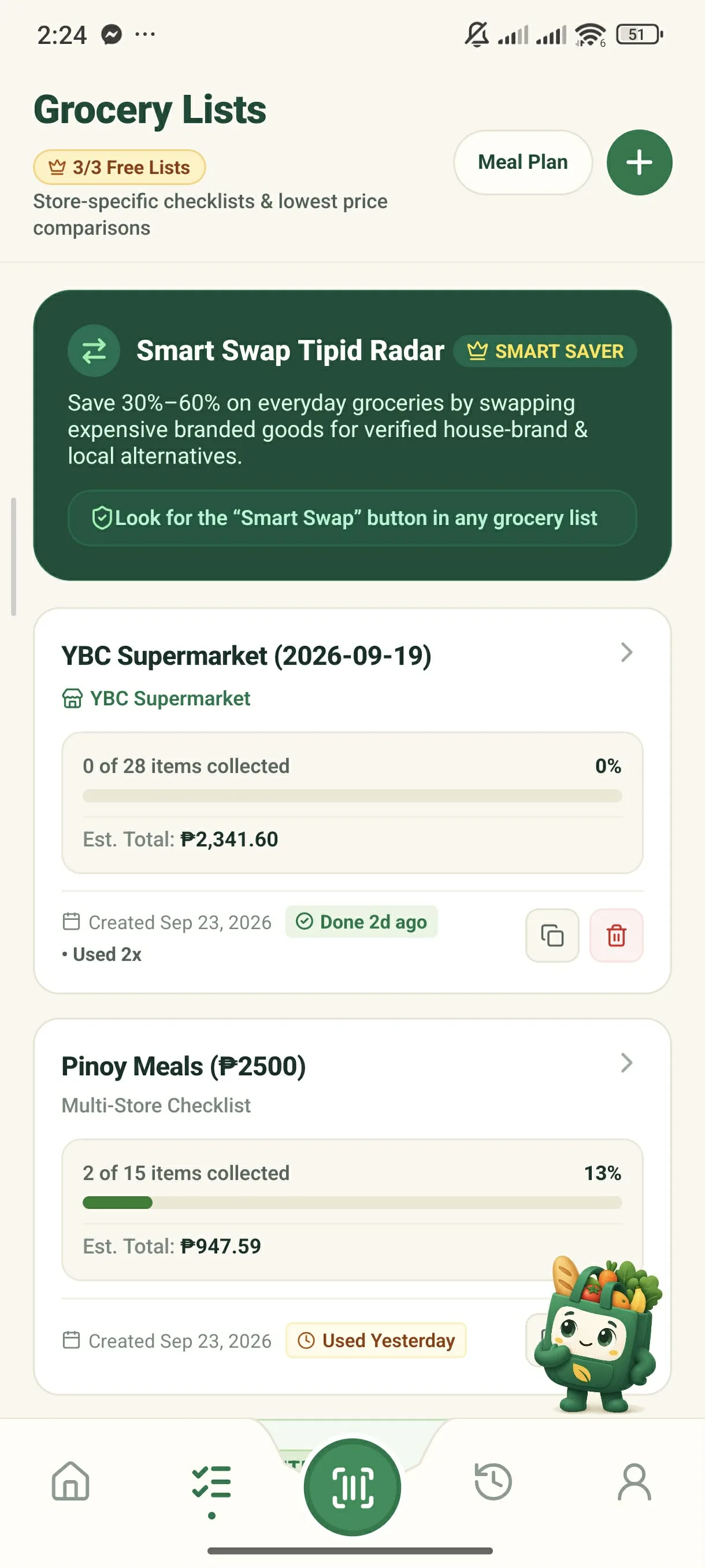
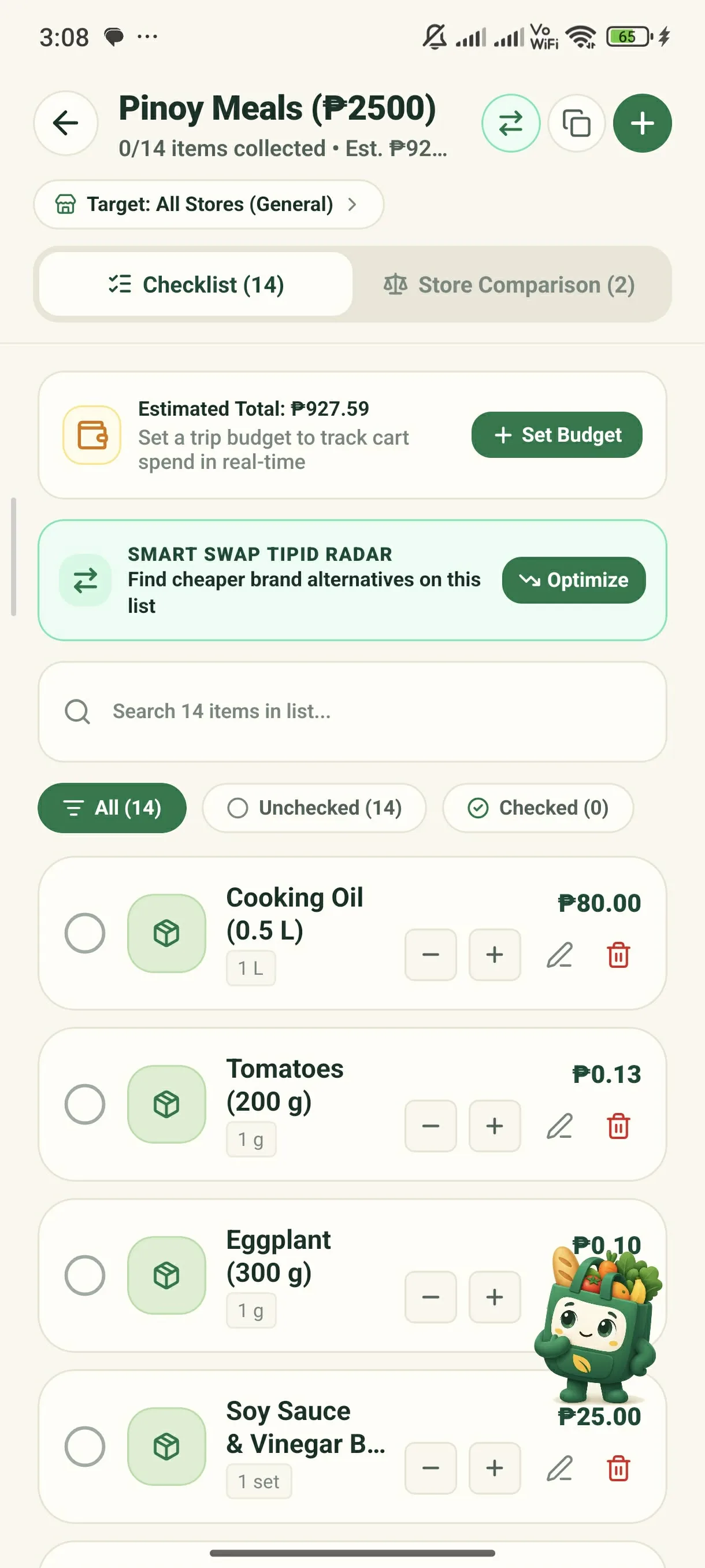
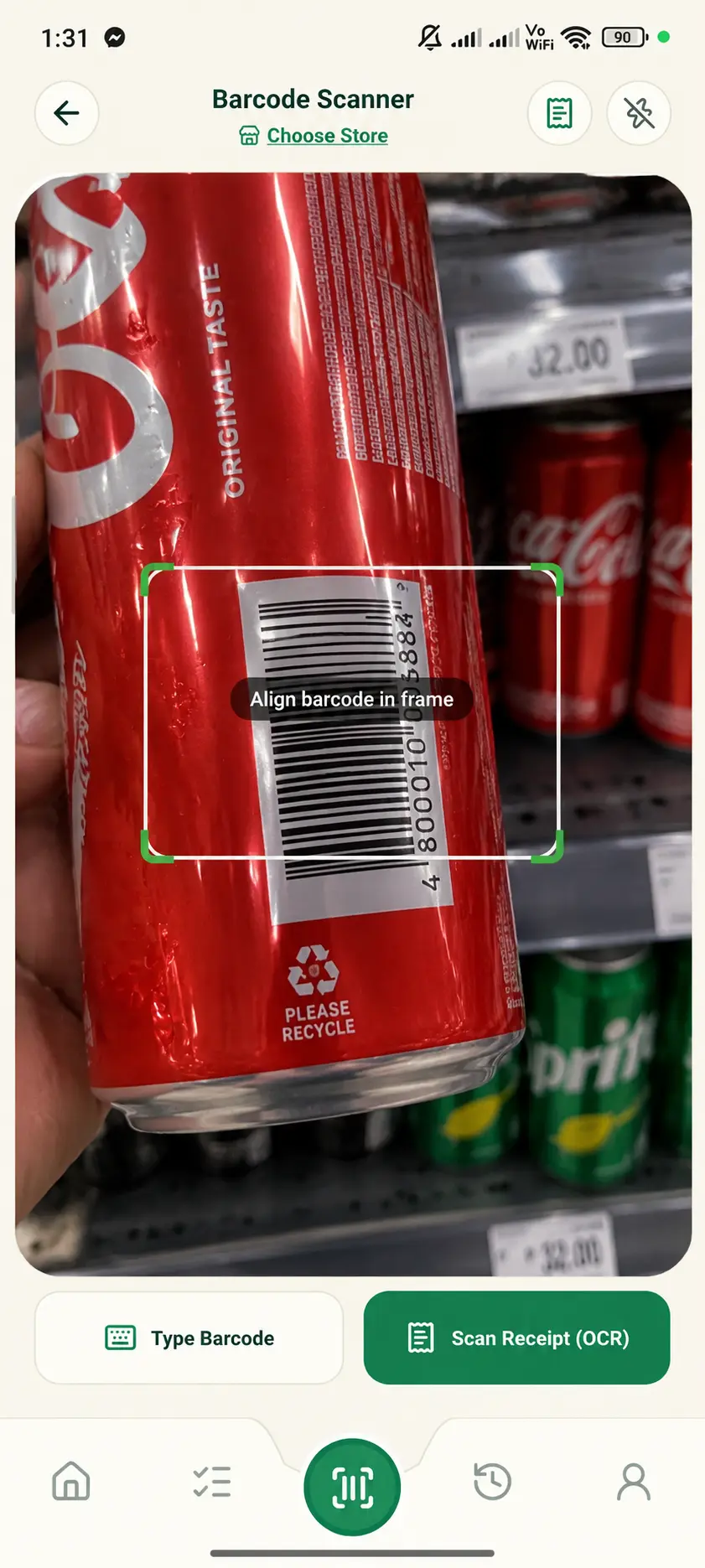
Why use this method?
Record barcodes once. Future scans at any store automatically detect brand, size, and past prices!
See GrocerIQ in action in under 2 minutes.
Watch our quick walkthrough to see how easy it is to plan lists, scan shelf barcodes offline, and compare store prices.
The Complete Mobile App Walkthrough
Start shopping smarter on your next grocery run.
Download the GrocerIQ mobile app today. Experience zero-latency offline barcode scanning, instant store comparisons, and AI shopping assistance from Suki.

Scan with Mobile Camera
Mobile app download & QR link will be active shortly.